Bring Your Data to Life with Augmented Reality in the Field
Trimble SiteVision™ is a high-accuracy outdoor augmented reality system that allows users to visualise 3D data in real-world context, directly on-site. Whether it’s verifying design data, identifying underground utilities, or communicating site progress, SiteVision helps you better understand and manage your project - right where it happens.
Now with version 5.0, SiteVision introduces a 3D scan tool that lets you use the LiDAR sensor on supported Apple devices, paired with the Trimble DA2 GNSS receiver, to capture accurate, georeferenced point clouds in the field.

Key Features of Trimble SiteVision
-
Augmented Reality Visualisation
Accurately places and displays 2D/3D models at true-to-life scale in the physical world from any angle.
-
3D Scanning with LiDAR
Capture detailed point clouds using iPhone 12 Pro/Pro Max or later, or iPad Pro 2020 or later, paired with the Trimble DA2 GNSS receiver.
-
Real-Time Georeferencing
Achieve centimetre-level accuracy on site for confident measurements, cut/fill checks, and reporting.
-
Field-to-Office Workflow
Seamless data transfer to the office via Trimble Connect and integration with Trimble Business Center for processing and documentation.
-
Lightweight & Mobile
Handheld or pole-mounted hardware makes it easy to take anywhere on site.
New in SiteVision v5.0
- Integrated 3D Scan Tool
Allows users to scan, view, and visualise point cloud data directly in the field using LiDAR-equipped Apple devices. - Simpler, Faster Scanning
Scan on the move - combine data capture and positioning into one handheld solution to save time and improve workflows. - Augmented Reality Point Cloud Viewer
View scan data live in SiteVision’s AR view, helping you verify captured data in real-time.

Trimble SiteVision Application
Trimble SiteVision is built for a wide range of industries including construction, surveying, civil infrastructure, utilities, and environmental management.

Planning & Design Visualisation
See proposed infrastructure and landscaping in real-world context before ground is broken.
As-Built Verification
Capture existing conditions and create georeferenced as-built models directly in the field.
Utility Location & Safety
Visualise buried services in 3D and avoid costly and dangerous mistakes.
Construction Progress & QA
Monitor progress, check material layers, inspect finished grades, and verify tolerance compliance.
Collaboration & Communication
Share visual updates and real-time reports with teams on and off site using Trimble Connect.
Use Cases in Action

Civil Contractors:
Overlay complex 3D road or drainage designs on site for clearer understanding and efficient execution.
Surveyors:
Capture, verify, and share as-built data quickly using mobile devices and GNSS accuracy.
Utility Teams:
Accurately identify underground assets to reduce strikes and improve safety.
Environmental Planners:
Visualise future changes to landscapes or rehabilitation zones before implementation.
Compatible Devices

- Apple iPhone 12 Pro / Pro Max or later
- Apple iPad Pro 2020 or later
Devices must be equipped with LiDAR to use the 3D scanning features.
Key Benefits of Trimble SiteVision
-
Reduce Risk & Rework
Confirm designs on-site and spot issues early to avoid costly mistakes.
-
Improve Communication
Present complex design data visually, making it easy for all stakeholders to understand.
-
Faster Decision-Making
Real-time access to high-accuracy data allows for quick, confident decisions on site.
-
Maximise Your Existing Data
Use SiteVision to overlay drone data, CAD designs, subsurface utility data, and more.
Trimble SiteVision FAQs
Can I use SiteVision without LiDAR?
Yes, you can still visualise 2D/3D design data, but the 3D scanning feature requires a LiDAR-equipped device.
How accurate is SiteVision?
With the Trimble DA2 receiver, you can achieve centimetre-level positioning accuracy in supported environments.
Is SiteVision subscription-based?
Yes, SiteVision is available as a standalone subscription or bundled with other Trimble software packages.
What file types does SiteVision support?
SiteVision works with models from Trimble Business Center, SketchUp, Trimble Novapoint, AutoCAD and others.

SiteVision Works Seamlessly With:
DA2 GNSS Receiver
Delivers high-accuracy positioning required for reliable AR visualisation and scanning.
Trimble Connect
Enables cloud-based data transfer and collaboration between field and office.
Trimble Business Centre
Use scanned point clouds, photos, and measurements for post-processing, QA, and reporting.
Trimble WorksManager
SiteVision is available as a standalone subscription or as part of the Precise Rover bundle with Trimble WorksManager.
Talk to SITECH Solutions about SiteVision
Want to explore how SiteVision can support your business? Our team can help you choose the right subscription, hardware and workflow for your needs.
Contact us to find out more or request a live demo on site.
See also
Trimble Siteworks Positioning Systems
Trimble Siteworks software gives construction teams an intuitive tool for accurate site positioning, stakeout and progress tracking with real‑time 3D data.
Trimble Tablets
Rugged, high-performance Trimble tablets like the T110, T100, T10x and T7 are purpose-built for construction site positioning, GNSS, and data capture workflows.
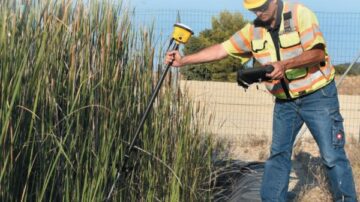
Trimble R780 GNSS Smart Antenna
the Trimble R780 GNSS Smart Antenna is a rugged, high-precision GPS solution for construction, surveying, and machine control, featuring Tilt Compensation, ProPoint GNSS, and CenterPoint RTX for enhanced accuracy and reliability in any environment. …

Related Trimble Solutions
Software Solutions
Discover Trimble Software Solutions designed for civil construction projects. Increase efficiency, reduce downtime, and stay connected with tools like Trimble WorksOS, WorksManager, and Stratus.
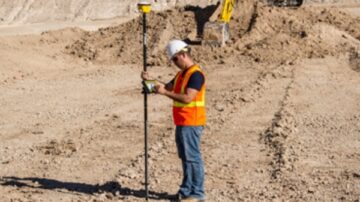
Site Positioning Systems
Tough, accurate, and connected Trimble site positioning systems that deliver precision - reliable and accurate results from the field to your office, no matter the distance.