
What is Propeller Drone Data Workflow Solution?
Map, Measure, and Manage Your Site with Confidence
Propeller is a real-time command centre for earthworks, uniting maps, survey data, and machine insights so teams can move faster, safer, and with confidence.
Designed for civil contractors, mining, and earthmoving projects, Propeller brings drone data, survey information, and site intelligence together in one cloud-based platform. Teams can map, measure, and manage worksites with accuracy while ensuring everyone is working from the same, up-to-date information.
With Propeller, site data is no longer siloed. Field teams, office staff, and stakeholders gain clear visibility over progress, volumes, and site conditions, enabling confident daily decisions and reducing rework.

Propeller Drone Platform: Book Your FREE Demo Flight Today

Register your interest to have our team fly your site for free and explore the power of cloud-based 3D mapping and analytics tools using your own project data. Ensure your project is on track with:
- Volume calculations (compare against surveys and designs)
- Cross-sections and underground utilities
- Mobile app with geo-referenced media and 360° images
Register: Book Your FREE Demo Flight Today
Schedule FREE Demo
Propeller Downloads and Resources
Propeller Datasheets
Propeller Brochures
SITECH Catalogue
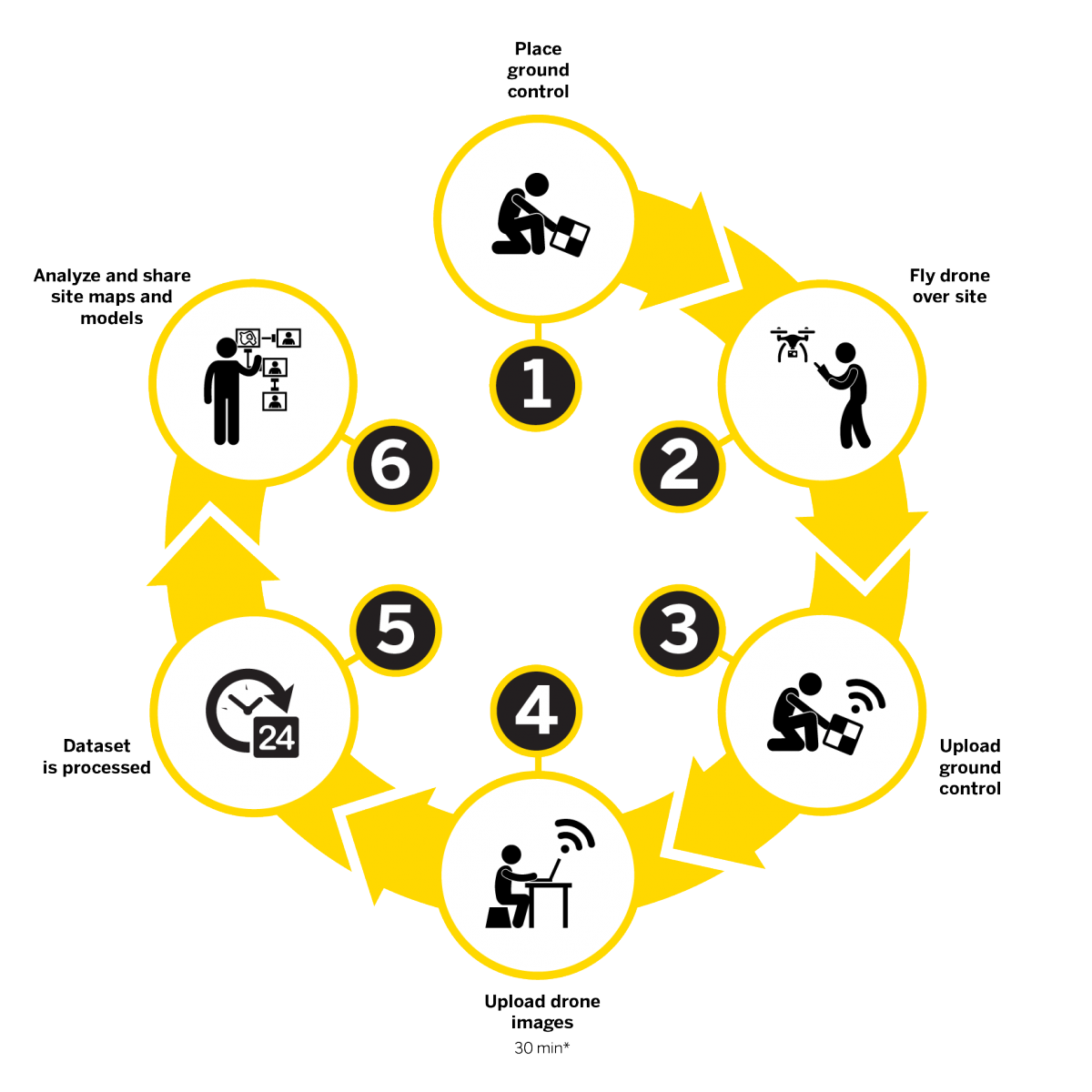
How Propeller Works
- Place Ground Control: Set up AeroPoints for accurate ground control.
- Fly Drone: Capture aerial data by flying a drone over your site.
- Upload Ground Control & Drone Images: Send data to the cloud for processing.
- Process Dataset: Propeller’s cloud-based platform processes the data.
- Analyse & Share: Access and share detailed site maps and models with your team.
Propeller provides a seamless, end-to-end drone data workflow, combining high-precision survey data with powerful visualisation and analytics tools.
AeroPoints: Precision Ground Control for Drone Mapping
AeroPoints are smart, durable ground control points designed to improve drone data accuracy. With a lightweight, user-friendly design, AeroPoints provide survey-grade precision, even for beginners. Simply place them on the ground and they automatically upload data to your portal using wireless connectivity, making accurate mapping and analysis easy.

Propeller Features and Benefits
Confidently Plan and Estimate
- Know what you’re quoting—conduct your own site surveys before the job begins, and whenever changes occur
- Get frequent, detailed images of site boundaries and protected areas to easily demonstrate your conformance with regulatory requirements
- Tighten plans and budgets with more frequent and accurate volume data
Survey Frequently and Faster
- Get accurate, up-to-date topographic surveys whenever you need without having to bring in a survey crew
- Avoid information bottlenecks by getting answers to questions yourself with an intuitive, web-based tool
- Survey inaccessible or hazardous areas safely using a drone


Site Volumes
- Calculate overall material volumes added or removed from pits, stockpiles, cells and drainage channels
- Measure stockpile volumes more frequently and safely to enable better stockpile management
Communicate Effectively
- Easily share progress updates with your team and customers through a centralized cloud-based workspace
- Track site changes, avoid crossed wires and resolve disputes quickly
- Fewer site visits needed when people can track progress and inspect work remotely, manage more sites more easily


Design Checks
- Upload design file to compare actual surface to design surface and track progress
- Measure remaining sitework and generate evidence of completed work
- Calculate volumes, cross-sections, and slopes against final designs
Mobile Mapping
- Contractors can use the mobile app as an extension of the Trimble Stratus platform to generate and share simple, interactive maps from the office to the field
- Field teams can explore 2D or 3D models of their site to work collaboratively, see their real-time location against designs, and measure progress
- Mobile photo capture on the app allows you and your team to pin, organize and react to media on the map


Propeller Applications
| Industry | Applications | Details |
|---|---|---|
| Civil Construction | Frequent and accurate data capture Track earthworks progress against design Quality assurance Project management | Capture survey-grade topos Calculate how much material you need to move and create cut fill maps Compare your measurements with finished grade designs or previous surveys to track progress Monitor site activity and communicate site conditions seamlessly from office to field Prevent disputes and rework with a full surface analysis |
| Aggregates | Monitor and manage inventory Manage mining and blasting operations Inspection of equipment and supervision of contractors Organisation of roads and traffic | Easily compare the volumes before and after blasting and measure the angle of the blasting surface Calculate borehole depths using borehole surface models Safe inspection of explosion fragment areas Manage the stock volume in the pit and calculate the total volume removed from the pit using surface comparisons Calculate slope angles and pit angles and compare actual surface-to-model to track compliance Tracking of changes in the angle of inclination between measurements in order to better control possible slipping Enhance safety by remotely inspecting walls by geotechnical engineers Export of 3D DXF and point cloud files for updating pit and dump plans Optimize traffic management by ensuring that road grades, widths and cross slopes meet design specifications Reduction of cycle times and optimization of the efficiency of mobile systems by tracking the conformity of the transport routes Inspection of areas before and after major events such as heavy rains |
| Mining | Effective tracking of the status of your mine Measure the volume of the stockpile Check the road gradient Generate terrain maps | Upload planning areas to visually track progress based on your 3D location survey Compare different measurements to see changes over time Uncover non-compliance issues before they get expensive Faster, better inventory estimates |
| Waste | Monitor landfill progress and productivity Check cell volume, remaining air space and density Calculate current, changed and remaining airspace for EPA reporting | Increase the productive life of your cells by tracking and maximizing compaction rates over time Calculate cover material for operational efficiency and environmental requirements Improve compliance reporting and airspace management |
* Propeller was previously known to some users as Trimble Stratus
Integrates with
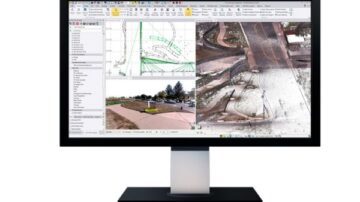
Trimble Business Center (TBC)
Manage data, create 3D models, and streamline project workflows with Trimble Business Center. TBC is the software solution that enables accurate takeoffs, collaborative data management, and informed decision-making for construction and surveying …