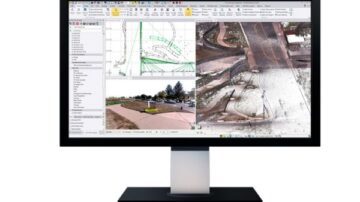
What is Trimble Collision Avoidance?
The upgraded Trimble Earthworks Grade Control Platform now includes a powerful Collision Avoidance system that helps machine operators stay safe and avoid restricted areas on site.
Whether you need to steer clear of underground services, protect environmental zones, or avoid contact with people and machines, Trimble Earthworks Avoidance Zones provide real-time alarms and visual automatic zone detection to keep your crew and assets safe.

How the Trimble Collision Avoidance System Works:
Trimble Collision Avoidance uses a combination of GPS data, defined zone files, and clear in-cab visuals to alert operators when their machine is near or inside a restricted area.
1. Create GPS-Based Avoidance Zones in TBC
Avoidance Zones are defined in Trimble Business Center (TBC) using survey points collected in the field via Trimble Siteworks. These points, known as Siteworks Shots, mark out the boundaries of no-go zones.
- Capture Siteworks Shots around gas lines, power poles or environmental areas.
- Import or draw closed zones in TBC.
- Export the file and load it into the Earthworks machine.
2. Avoidance Zone Visuals on the Trimble Earthworks In-Cab Display
Once uploaded, the system displays real-time zone proximity using intuitive colour codes:
- Blue – Avoidance Zone detected nearby
- Orange – Approaching the zone
- Pink – Zone breached
These colours appear on the machine’s control box to provide instant awareness for the operator.


3. Real-Time Alerts and Machine Behaviour Control
When you approach or cross into a zone:
- Visual: Colour-coded zone indicators on the screen
- Audio: Alarms when entering or nearing a zone
- Action: Optional movement restrictions to prevent unsafe operation
Benefits of Trimble Earthworks Collision Avoidance
-
Improve On-Site Safety
Reduce the risk of striking buried utilities or entering protected zones.
-
Minimise Downtime and Costly Rework
Prevent machine damage, service strikes and safety incidents.
-
Simple Integration with Existing Earthworks Systems
Avoidance Zones can be set up easily from the office or field.
-
Fleet-Wide Consistency with Trimble WorksManager
Push the same avoidance files to all machines across your site.
Best Use Cases for Trimble Collision Avoidance
Trimble Collision Avoidance is ideal for:
- Civil construction sites with live underground services
- Road and rail projects with tight safety boundaries
- Projects near heritage zones or environmental buffers
- Contractors looking to improve safety compliance and win tenders

Frequently Asked Questions
What is a Siteworks Shot?
A Siteworks Shot is a GPS point collected in the field using Trimble Siteworks. These are used to define the shape of Avoidance Zones in TBC.
Can I use CAD files to create Avoidance Zones?
Yes. You can import DXF, DWG or KML files into TBC to define your zone boundaries.
What happens if the operator breaches a zone?
The in-cab display will turn pink, an alarm will sound, and optional machine restrictions can be triggered.
Is Trimble Collision Avoidance available on all machines?
It can be added to any machine running the Trimble Earthworks system.
Add Trimble Collision Avoidance to Your Earthworks System
Collision Avoidance can be added to your existing Trimble Earthworks setup with a simple software upgrade and configuration—no major hardware changes required.
Contact SITECH Solutions to learn how Collision Avoidance can improve safety and efficiency on your next project.
Related Trimble Technologies
Trimble Business Center (TBC)
Manage data, create 3D models, and streamline project workflows with Trimble Business Center. TBC is the software solution that enables accurate takeoffs, collaborative data management, and informed decision-making for construction and surveying …
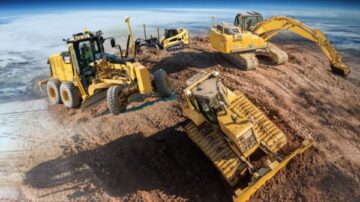
Trimble Earthworks Machine Control
Boost your construction efficiency with Trimble Machine Control Solutions from SITECH Solutions. Move 12 hours' worth of dirt in just 8 hours using our cutting-edge technology. Discover how Trimble, the pioneer in grade control, can enhance …

Trimble Earthworks Assistant App
The Trimble Earthworks Assistant App is designed to deliver user assistance information to operators in the field, at the office, or at home.
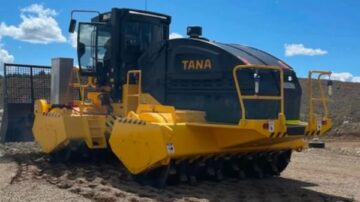
Trimble Landfill Management
Explore Trimble solutions for landfill management, from machine control and intelligent compaction to real-time software for planning and progress tracking.
Trimble Roadworks
Trimble Roadworks delivers accurate, reliable paving solutions for asphalt, compaction, milling, and slipform — built to improve surface quality and reduce rework.
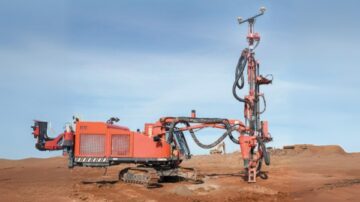
Trimble Groundworks
Trimble Groundworks Machine Control System, including the DPS 900 for piling and drilling, improves accuracy, reduces rework, and enhances safety with avoidance zone alerts and real-time data for optimal performance.